What Exactly Is VPN Split Tunneling?
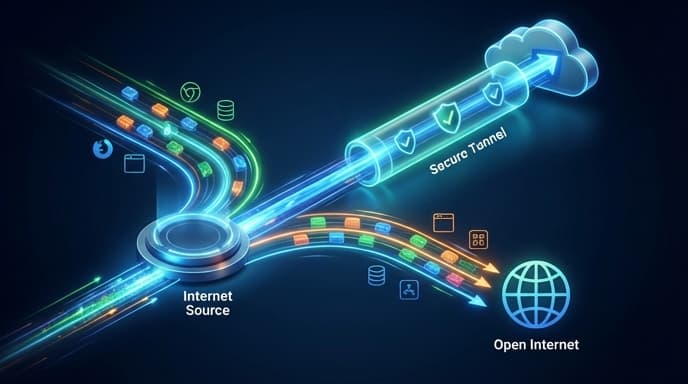
Imagine your internet connection is a highway. A VPN, or Virtual Private Network, puts all your traffic into a single, armored convoy, encrypting it for security. This is great for privacy, but it can sometimes slow things down. Split tunneling acts like a smart traffic controller, allowing you to create a separate, faster lane for trusted applications. In simple terms, it lets you decide which apps use the secure VPN tunnel and which apps access the internet directly.
How Does Split Tunneling Work?
When you enable split tunneling in your VPN client, you are essentially creating two simultaneous connections from your device. One is the encrypted VPN tunnel, and the other is your regular, open connection to the internet. Most VPN apps that offer this feature provide a simple interface where you can select which apps or websites should be routed through which connection. There are generally two types:
- Split Tunnel: You select the apps you want to protect with the VPN. Everything else connects normally. This is useful for securing just your browser or a torrent client.
- Inverse Split Tunnel (or Split-Exclude): You select the apps you want to *exclude* from the VPN. Everything else is automatically protected. This is great for excluding a high-bandwidth streaming app that you trust.
Key Use Cases: Why Bother with Split Tunneling?
This feature isn't just for tech experts. It solves several common, practical problems and can significantly improve your online experience.
Access Local Network Devices
With a full VPN connection, your device is often cut off from local network devices like printers or file servers. Split tunneling allows you to maintain access to these local devices while still encrypting your internet-bound traffic.
Conserve Bandwidth and Boost Speed
Encrypting data takes processing power and can slow your connection. By excluding high-bandwidth, low-risk activities like streaming video from a trusted service (like Netflix or YouTube) or online gaming, you can enjoy maximum speed where it matters most, without sacrificing security for your other activities.
Access Content from Different Regions Simultaneously
Need to access a foreign work server via VPN but also want to check local news? Split tunneling lets you do both at the same time without having to constantly connect and disconnect your VPN.
Is Split Tunneling Safe to Use?
Yes, when used correctly, split tunneling is perfectly safe. The key is to be mindful of which applications you exclude from the VPN tunnel. You should only allow trusted applications that don't handle sensitive data to bypass the VPN. For activities like online banking, secure messaging, or anonymous browsing, you should always ensure they are routed through the encrypted VPN connection. The risk doesn't come from the feature itself, but from making poor choices about what to leave unprotected.
Frequently Asked Questions (FAQ)
Does split tunneling leak my IP address?
It does not 'leak' your IP in a traditional sense, but it intentionally exposes your real IP address for the apps you exclude from the VPN. This is by design. Apps routed through the VPN will still have their IP address masked.
Do all VPNs offer split tunneling?
No, it's typically considered a premium feature. Most top-tier VPN providers offer it, but many free or budget services do not.
Can I use split tunneling on my phone?
Yes, many VPN apps for Android and iOS support split tunneling, allowing you to manage app-specific connections on the go.
Summary: Key Takeaways
- Split tunneling creates two connections: one secure (VPN) and one direct (internet).
- It allows you to choose which apps use the VPN, optimizing for speed and convenience.
- Common uses include gaming, streaming, and accessing local network devices.
- It is safe as long as you only exclude trusted applications from the VPN tunnel.
- It's a powerful feature for getting the most out of your VPN subscription.